Student Printers – How to Copy
D Building - Library
SMCHS offers multi-purpose printers for students while on campus. These printers are located in the D Building (Library), right out side of the Tech Center. You can either print from your laptop or the provided work station. These printers not only allow you to print, as well as copy. Below you will find instructions on how to properly use the copy feature.
-
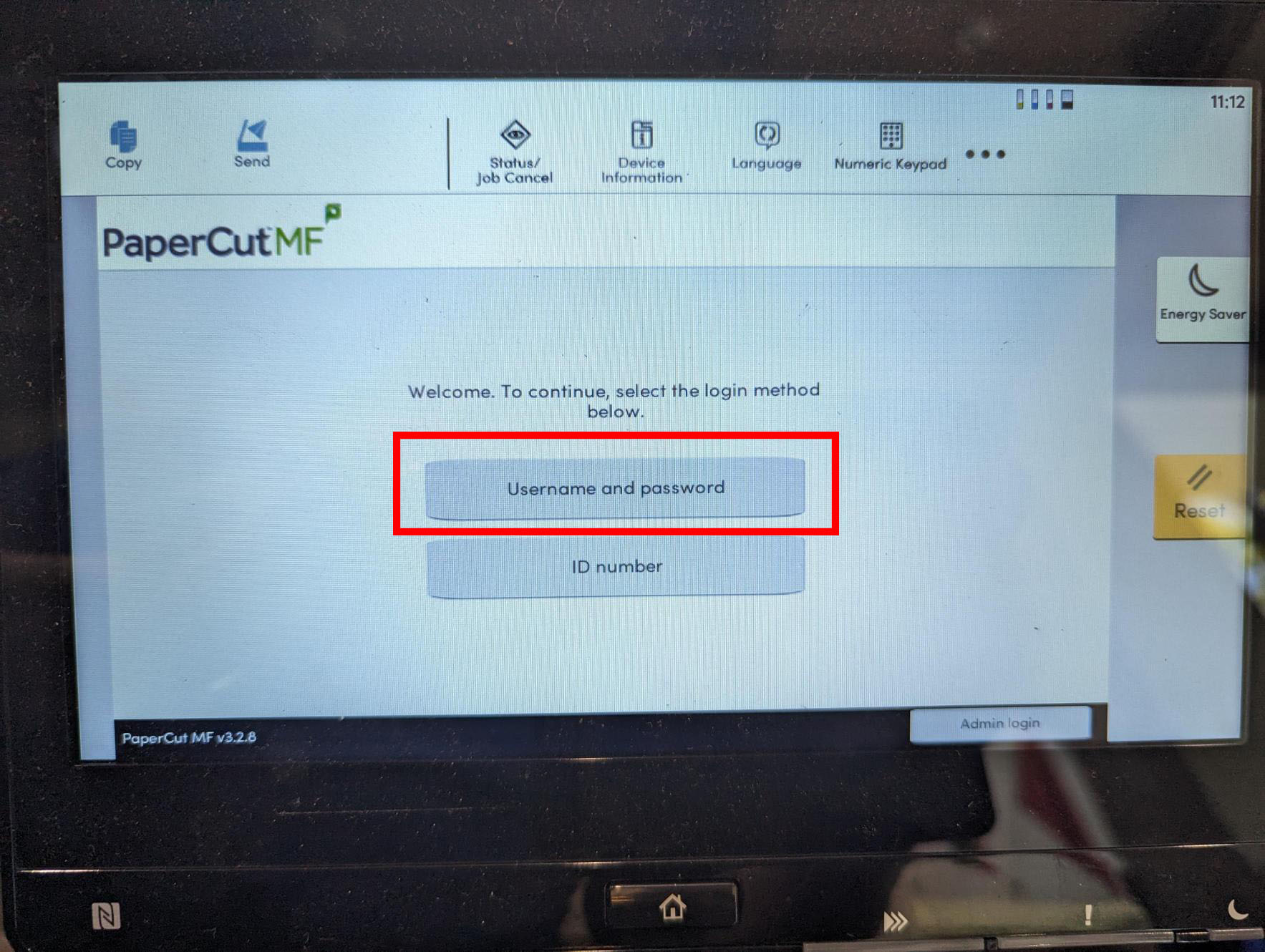
Start by clicking the Username and Password button
-
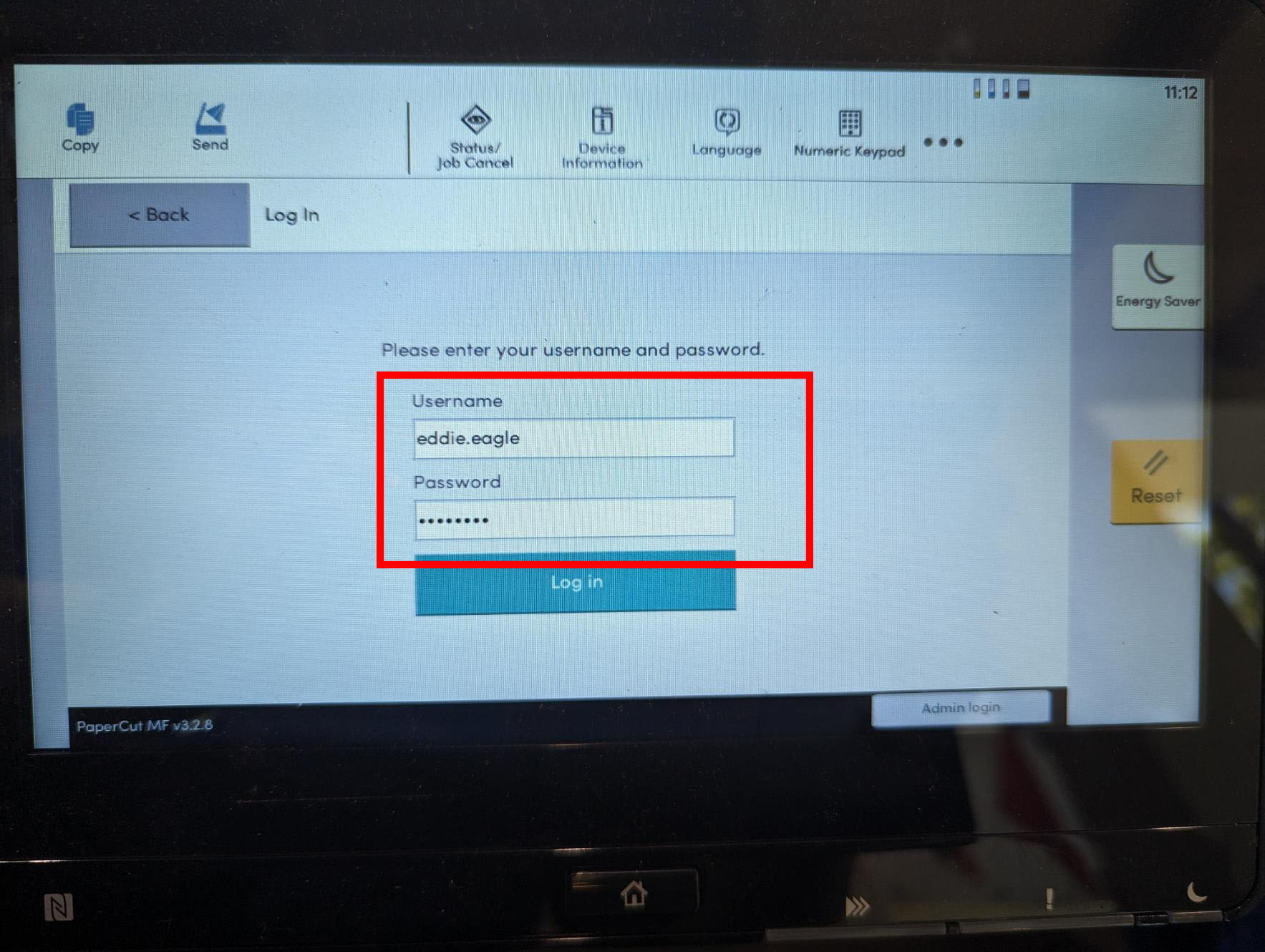
Enter your student username and password and press login
-
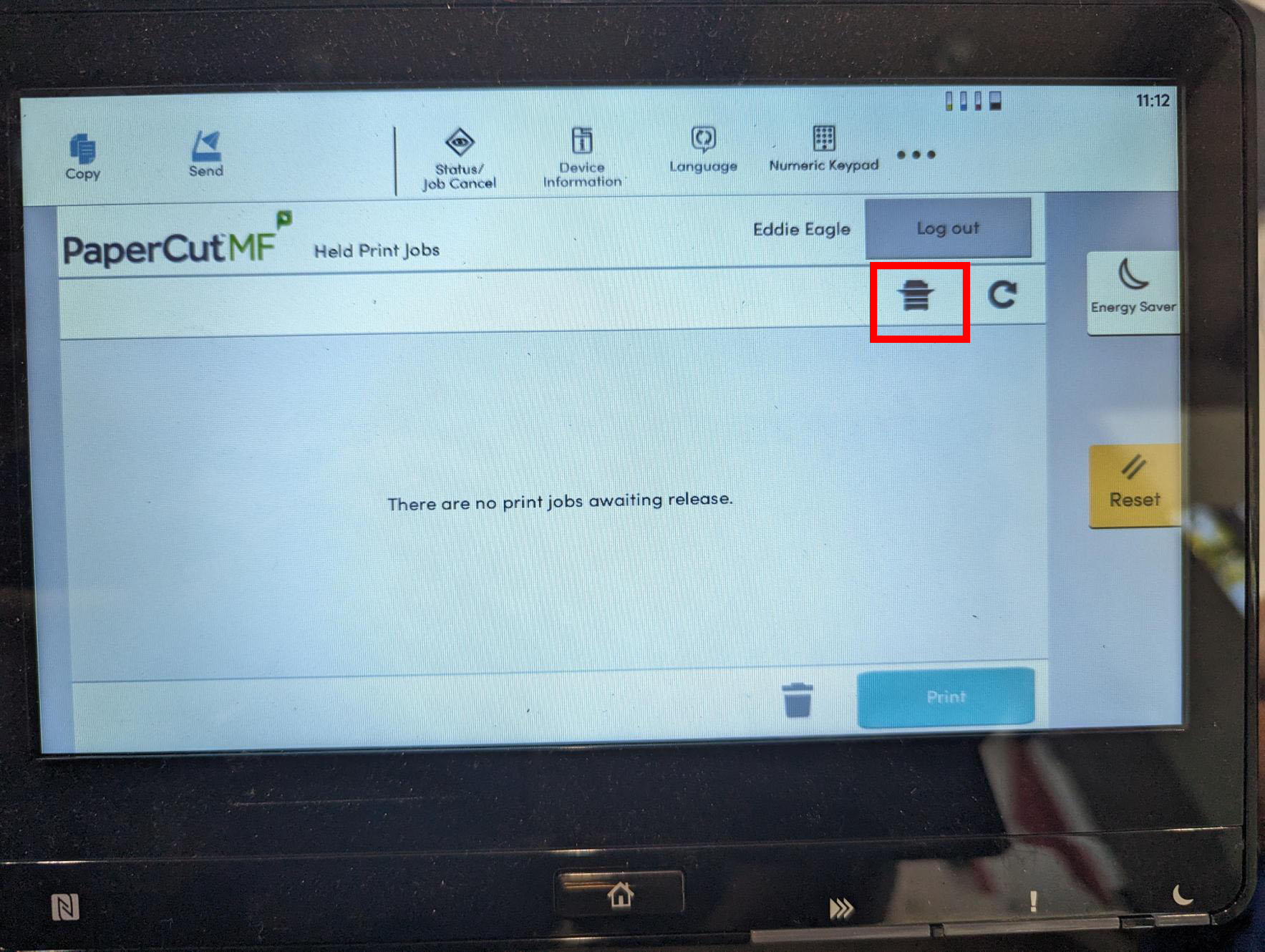
Press the printer icon on top right under your name
-
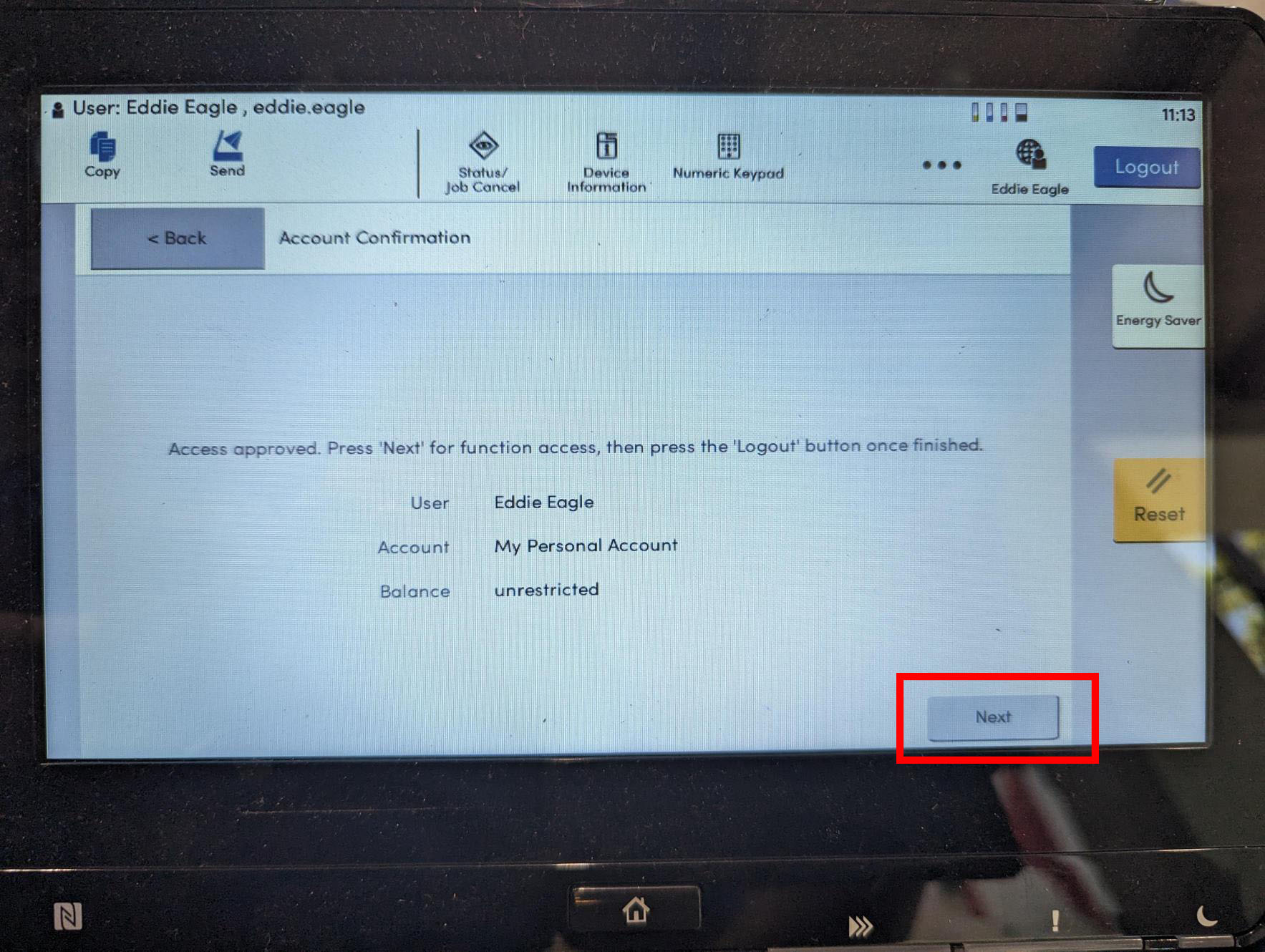
Click Next in the bottom right
-
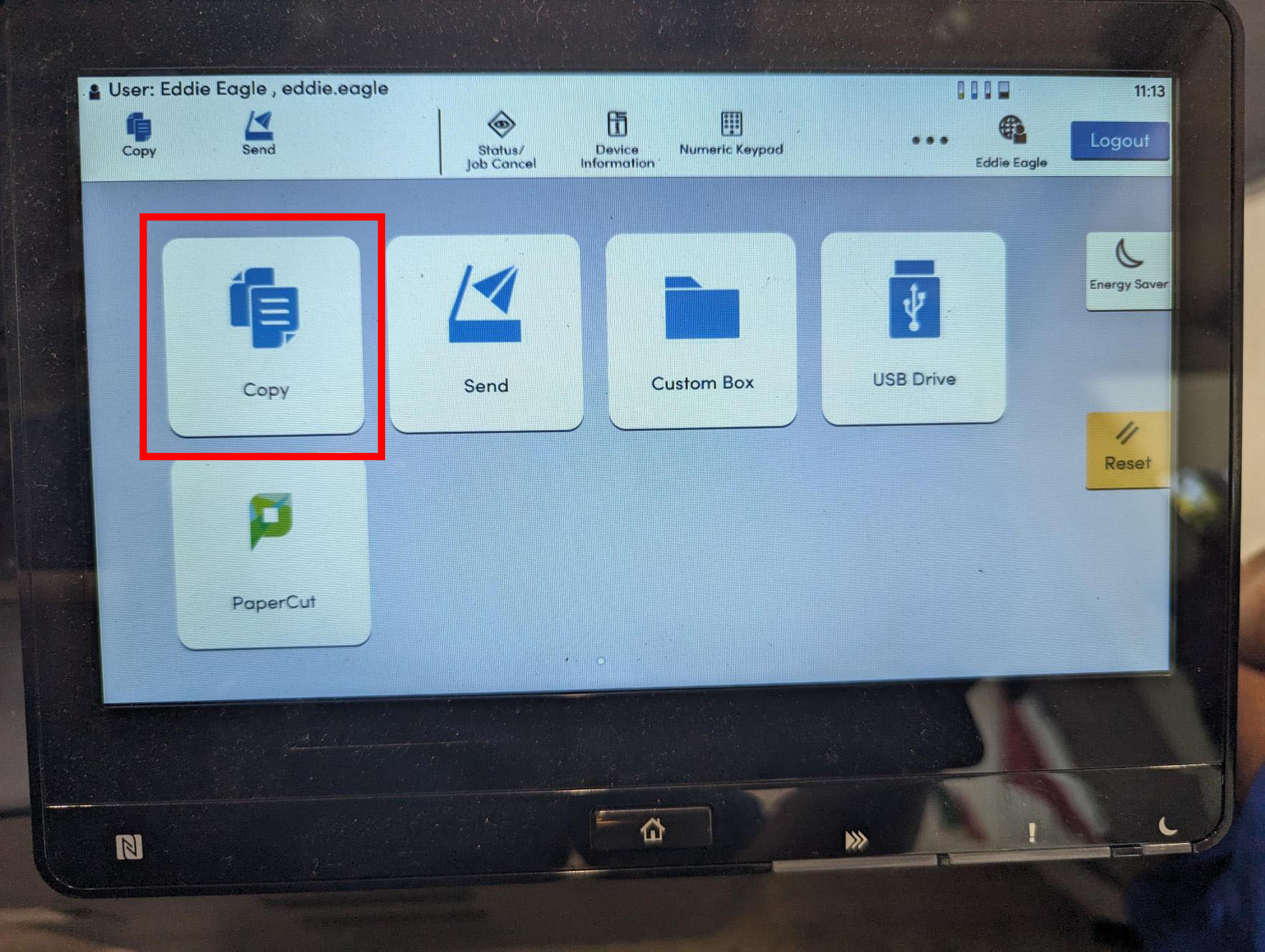
Click Copy to start making copies
-
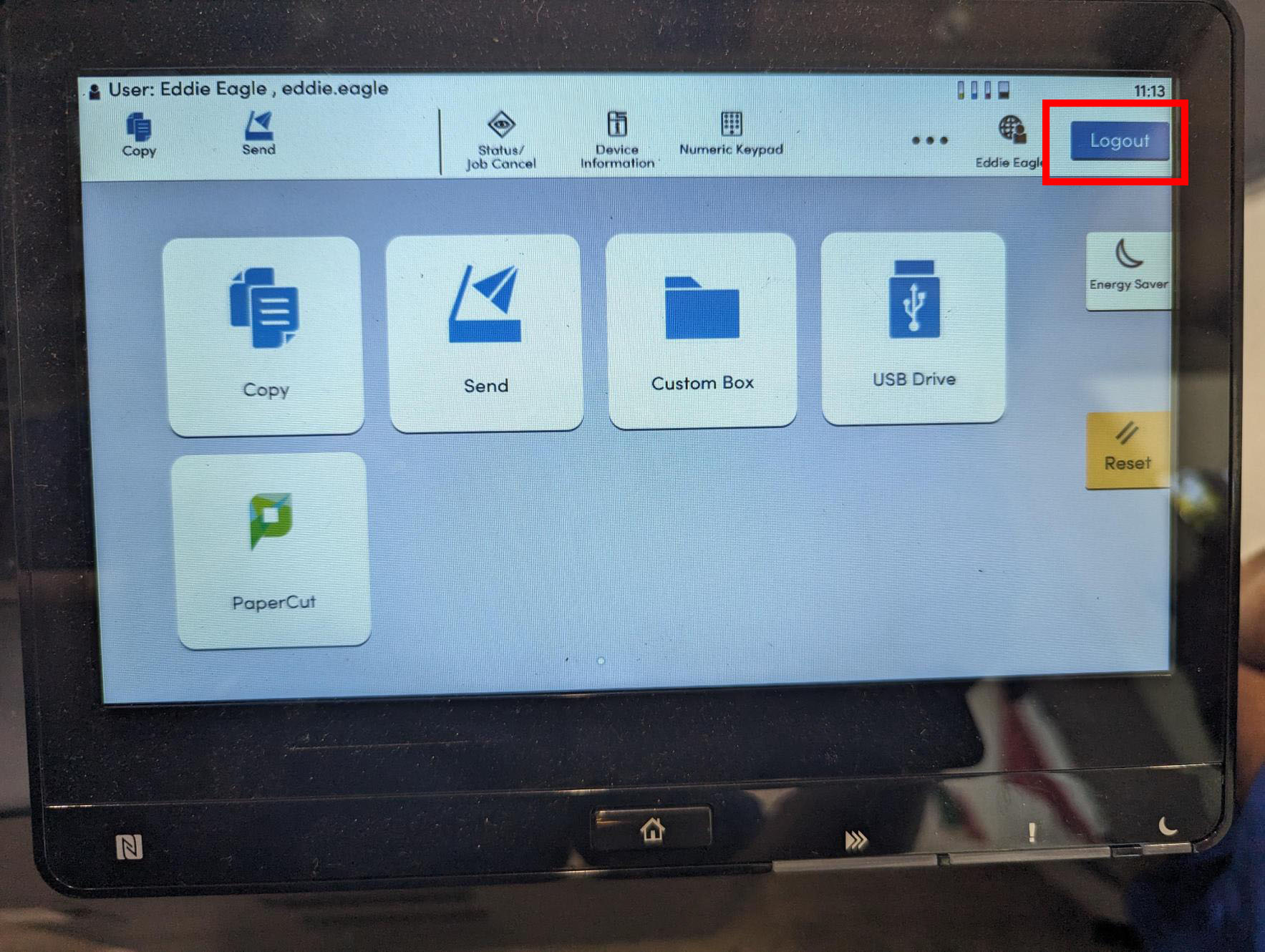
When done make sure you click Logout